

Looking for the best Apple Thunderbolt Display alternatives in 2026? You’re in the right place. Apple stopped making the Thunderbolt Display years ago, and the Studio Display is great but expensive.
These modern 4K monitors give you sharp text, clean one-cable setups, and solid power delivery for your MacBook Pro, Mac mini, Mac Studio or iMac.

This updated list focuses on practical apple cinema display alternative options that work well with current Macs. We looked at real specs for single-cable charging, USB-C and Thunderbolt ports, color accuracy, and features Mac users actually care about.
Table of Contents
Quick Comparison: Best 4K USB-C and Thunderbolt Monitors for Mac
Here’s a side-by-side look at the six monitors in this guide. The table is built to stay readable on mobile, swipe sideways if needed. Key columns cover the things that matter most for Mac users: power delivery, resolution, and Mac-friendly features.
| Monitor | Size | Resolution | USB-C / TB Power | Refresh | Best for |
|---|---|---|---|---|---|
| Asus ProArt PA279CRV | 27″ | 4K | 96W USB-C | 60Hz | Color-critical work |
| Dell 27 Plus S2725QC | 27″ | 4K | 65W USB-C | 120Hz | Everyday one-cable |
| LG 27UP850K | 27″ | 4K | 90W USB-C | 60Hz | Balanced USB-C |
| BenQ MA270U | 27″ | 4K | 90W USB-C | 60Hz | Mac brightness control |
| BenQ MA320U | 32″ | 4K | 90W USB-C | 60Hz | Bigger screen + Mac match |
| Dell UltraSharp U2725QE | 27″ | 4K | 140W Thunderbolt 4 | 120Hz | Daisy chain + full hub |
All six are solid best 4k usb c monitor for macbook pro choices. The right one depends on whether you want maximum power delivery, Mac-style brightness control, or a full Thunderbolt hub.
What Makes a Good Apple Thunderbolt Display Alternative Today?
Modern Macs prefer USB-C or Thunderbolt.
A good one cable monitor for macbook should charge your laptop while sending video and data. Look for at least 90W power delivery if you use a 14-inch or 16-inch MacBook Pro. 4K resolution on a 27-inch screen gives sharp text that feels close to Apple’s own displays.
Color accuracy matters if you edit photos or video. Ergonomic stands (height, tilt, swivel, pivot) and VESA mounts are practical extras.
Asus ProArt PA279CRV – Best for Color-Critical Work
The Asus ProArt PA279CRV is a strong apple studio display alternative if color accuracy is your priority. It is a 27-inch 4K IPS panel with 99% DCI-P3 and 99% Adobe RGB coverage. Asus factory-calibrates it to Delta E < 2 and it carries Calman Verified status.
USB-C delivers up to 96W power delivery, so one cable handles video, data, and charging for most MacBooks.
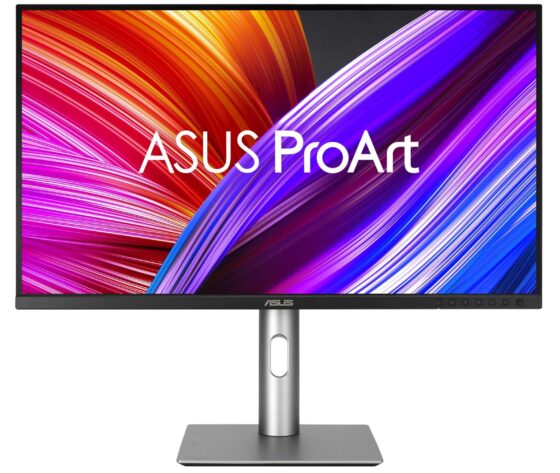
You also get dual DisplayPort 1.4 (with daisy-chain support), two HDMI ports, and a USB hub. The stand adjusts height, tilt, swivel, and pivot. It is a clean choice for designers and editors who want reliable color without the Studio Display price.
- 27-inch 4K (3840 x 2160) IPS
- 96W USB-C power delivery
- 99% DCI-P3, Calman Verified
- VESA DisplayHDR 400
- Daisy-chain capable DisplayPort
Dell 27 Plus 4K USB-C Monitor S2725QC – Smooth Everyday One-Cable Option
If you want a practical one cable monitor for macbook without spending a lot, the Dell S2725QC is worth a look. It is a 27-inch 4K IPS panel that runs at 120Hz. That higher refresh rate makes scrolling and everyday work feel smoother than typical 60Hz monitors.
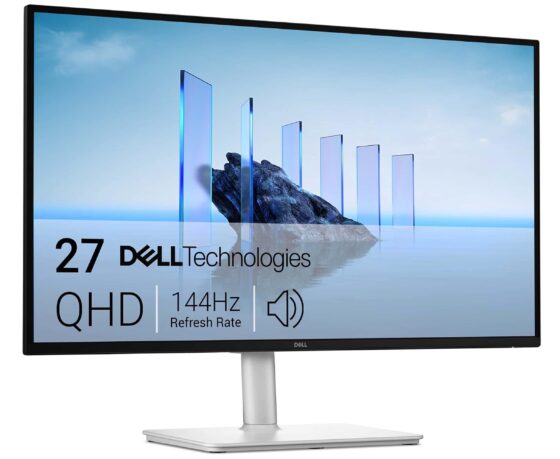
USB-C provides up to 65W power delivery plus DisplayPort Alt Mode. It is enough for many MacBook Air and smaller MacBook Pro models. You also get two HDMI 2.1 ports and a small USB hub. The stand offers height, tilt, pivot, and swivel.
It is a straightforward daily driver for Mac mini or MacBook users who mainly need sharp 4K and simple connectivity.
- 27-inch 4K at up to 120Hz
- 65W USB-C power delivery
- 99% sRGB, IPS panel
- Built-in speakers
- Height-adjustable stand
LG 27UP850K – Balanced 4K USB-C Monitor with 90W Charging
The LG 27UP850K is a well-rounded monitor with 90w power delivery for mac. It uses a 27-inch 4K IPS panel with VESA DisplayHDR 400 and roughly 95% DCI-P3 coverage. Brightness sits around 400 nits, which is comfortable for most desks.
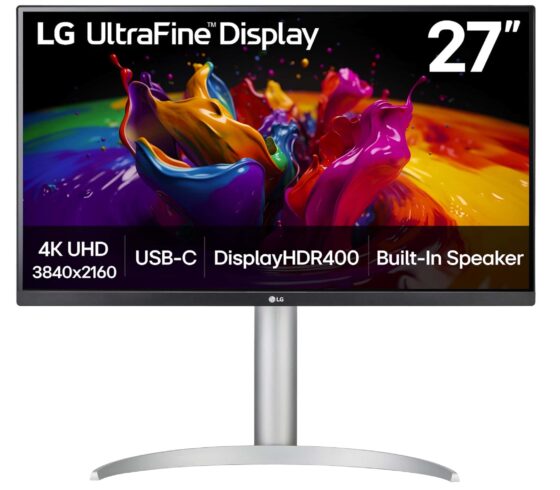
The USB-C port handles video, data, and up to 90W charging in one cable. You also get DisplayPort 1.4, two HDMI ports, and a couple of USB downstream ports. The stand adjusts height, tilt, and pivot. It is a reliable middle-ground option between budget and premium models for Mac users who want solid color and proper power delivery.
- 27-inch 4K IPS
- 90W USB-C power delivery
- VESA DisplayHDR 400
- 95% DCI-P3
- Ergonomic stand
BenQ MA270U – Best 27-inch 4K Monitor with Mac Brightness Control
The BenQ MA270U stands out as a true 4k monitor with mac brightness control. BenQ designed the MA series specifically for Mac users. You can adjust monitor brightness and volume with the keyboard keys on your MacBook, just like you would with a built-in display.
Display Pilot software and M-book color mode help match colors closely to your MacBook screen.
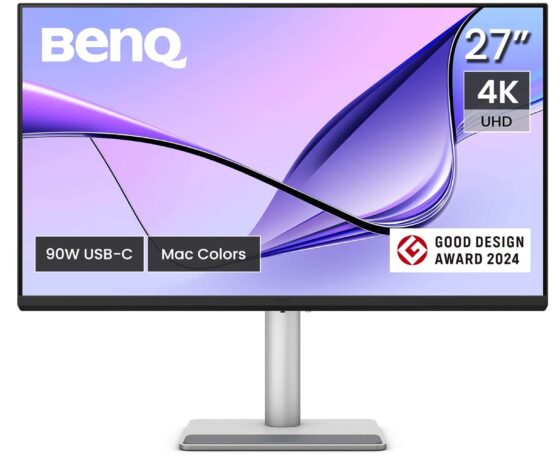
It is a 27-inch 4K IPS panel with a nano matte coating that reduces glare. USB-C delivers 90W power delivery. Color coverage is strong at 99% sRGB and 95% P3. The stand is fully adjustable. If you want the closest everyday experience to an Apple display without the price, this is one of the best 27-inch options right now.
- 27-inch 4K with Mac brightness and volume control
- 90W USB-C power delivery
- Nano matte panel, 400 nits
- 95% P3 / 99% sRGB
- Height, tilt, swivel, pivot
BenQ MA320U – Bigger 32-inch 4K Monitor for Mac
If you prefer more screen real estate, the BenQ MA320U is the 32-inch version of the same Mac-friendly idea. It keeps the keyboard brightness control, M-book color matching, and 90W USB-C power delivery.
The larger panel still runs at 4K (3840 x 2160) and offers higher brightness, around 550 nits typical and up to 600 nits in HDR.
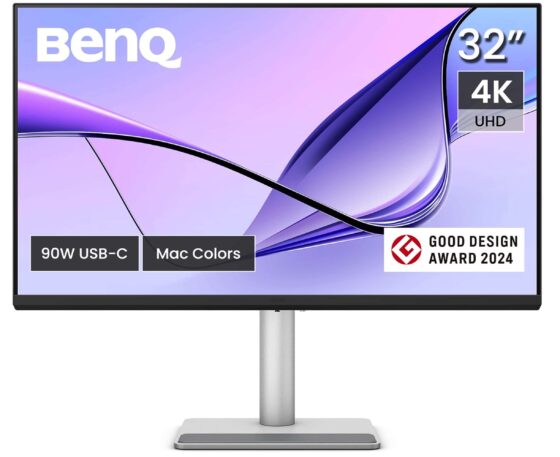
It is a good fit as a primary monitor for a Mac mini or Mac Studio, or as a big extended display for a MacBook. The nano matte finish helps with reflections, and the stand remains fully adjustable. Many people find 32 inches more comfortable for multitasking than a 27-inch panel.
- 32-inch 4K IPS
- Mac brightness control + color matching
- 90W USB-C power delivery
- Higher brightness (up to 600 nits HDR)
- Fully adjustable stand
Dell UltraSharp U2725QE – Best Thunderbolt 4 Hub Monitor with Daisy Chain
The Dell UltraSharp U2725QE is the premium pick in this list. It is a true thunderbolt 4 monitor for mac and an excellent daisy chain monitor for mac. Thunderbolt 4 delivers up to 140W power delivery, enough for a 16-inch MacBook Pro.
You can daisy-chain a second 4K monitor, and it includes a 2.5GbE Ethernet port plus a full USB hub and KVM support.
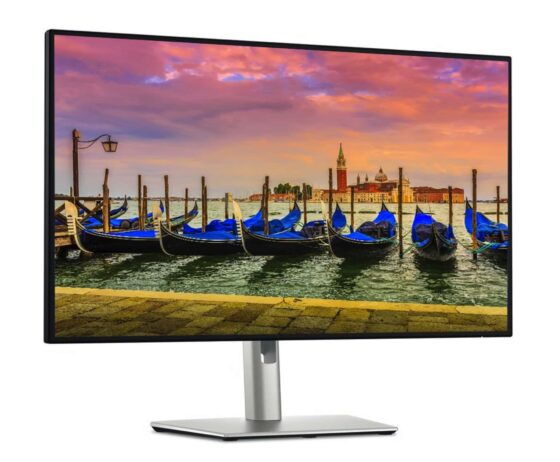
The panel is 27-inch 4K at 120Hz with Dell’s IPS Black technology for higher contrast (around 3000:1). Color coverage is excellent at 99% DCI-P3. It is tested for macOS and works cleanly as a one-cable docking solution.
If you want the closest experience to a high-end Apple setup with extra ports and daisy-chain capability, this is the one to consider.
- 27-inch 4K at 120Hz, IPS Black
- 140W Thunderbolt 4 power delivery
- Daisy chain support for a second 4K display
- 2.5GbE Ethernet + full hub
- 99% DCI-P3, DisplayHDR 600
Get Dell UltraSharp 4K Monitor
Which One Should You Buy?
Here is a simple way to decide:
- Best overall value one-cable setup: Dell S2725QC or LG 27UP850K
- Best Mac-like experience (brightness control): BenQ MA270U or MA320U
- Best for color work: Asus ProArt PA279CRV
- Best premium hub + daisy chain: Dell UltraSharp U2725QE
- Best larger screen: BenQ MA320U
Any of these will serve as a practical apple cinema display alternative today. They all deliver sharp 4K text, modern connectivity, and a cleaner desk than older HDMI-only monitors.
Frequently Asked Questions
What is the best alternative to the Apple Thunderbolt Display?
The Asus ProArt Display is the best pick for Photo and Video Editors. Next, BenQ MA270U is the closest everyday replacements because they match Mac colors out of the box and let you adjust brightness and volume right from your Mac keyboard.
If you want true Thunderbolt 4 daisy chaining and extra ports, the Dell UltraSharp U2725QE is the best all-in-one upgrade.
What is the best 4K USB-C monitor for MacBook Pro?
For most people the BenQ MA270U or LG 27UP850K give the best balance of 90W charging, sharp 4K, and Mac-friendly features. If you want maximum power and daisy chain, go with the Dell UltraSharp U2725QE.
Asus ProArt stands out with factory-calibrated 99% DCI-P3 and Adobe RGB color accuracy.
Which monitors support Mac brightness control?
The BenQ MA270U and MA320U are built for this. You can adjust brightness and volume with your MacBook keyboard keys after connecting via USB-C.
Can I daisy chain monitors with a Mac?
Yes. The Dell UltraSharp U2725QE supports daisy chaining a second 4K monitor over Thunderbolt 4. Note that macOS only supports daisy chaining over Thunderbolt, not standard DisplayPort.
Is 65W power delivery enough for a MacBook?
65W works fine for MacBook Air and many 13-inch or 14-inch models during light use. For a 16-inch MacBook Pro under heavy load, 90W or higher (like the Dell U2725QE’s 140W) is safer.
Are these good Apple Studio Display alternatives?
Yes. None match the Studio Display’s brightness and nano-texture option, but the BenQ MA series comes closest for everyday color and control. The ProArt and UltraSharp are stronger for professional color and connectivity at a lower price.